
Auto AI
Tasks · Files · AI Listings
Auto AI is two tools in one: an Android app that keeps your daily tasks and files organised, and a Chrome extension that fills the IndiaMART Seller Panel for you — AI title, description, specifications, images, price, MOQ — then saves and moves to the next product.
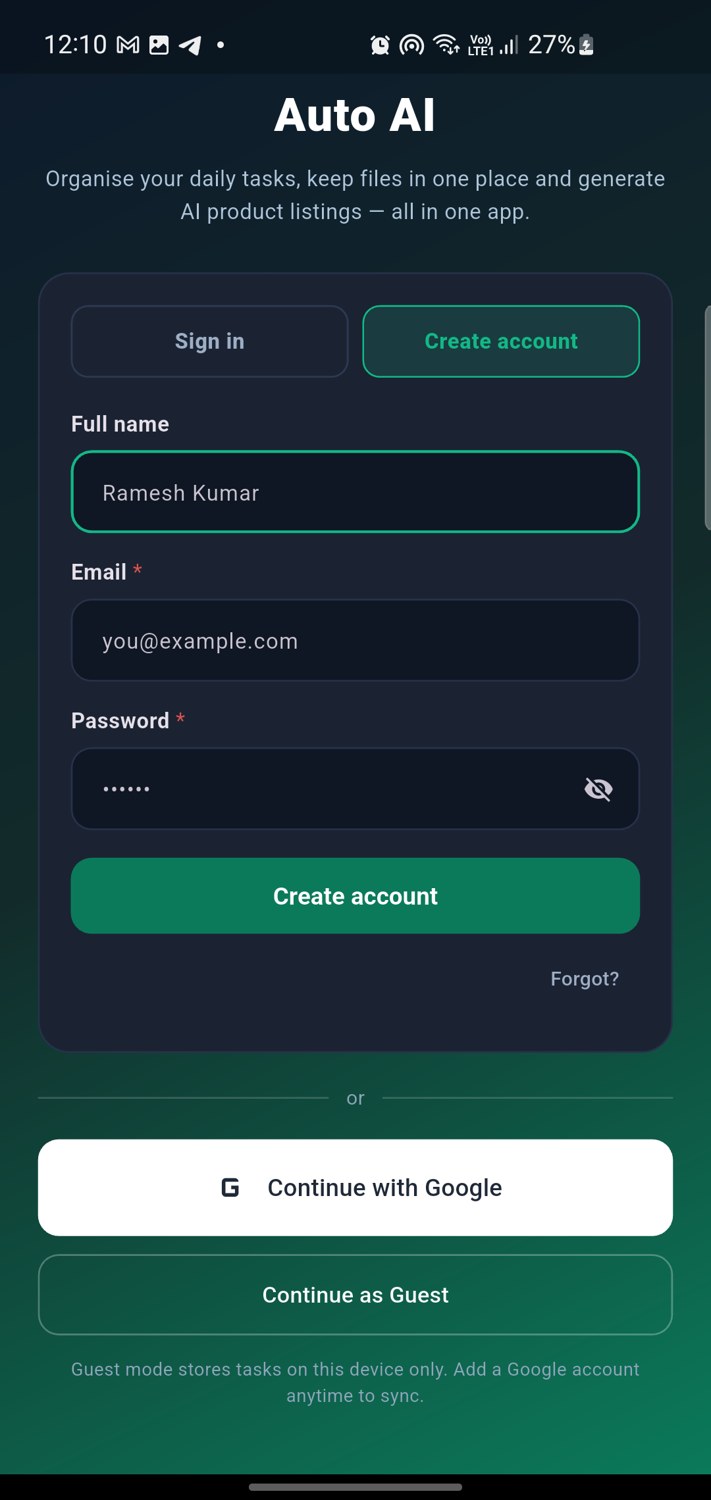
Give Auto AI a product name — it produces a complete, IndiaMART-ready listing and types it into your seller panel. The same app keeps your day organised.
Add tasks with category, priority, due date and status. Filter by Today, Overdue or Completed. See pending, completed and overdue counts live.
Upload .xlsx, .csv, PDFs or photos. Attach them to any task. Keep a copy on the phone and — when signed in — a copy in the cloud.
Keyword-rich title, a 650–950 character description, 12–18 specifications and 10–15 search keywords. Bulk mode does a whole catalogue.
Percentage, animated bar, the product being processed right now, listings done, needs-review, failed, speed per minute and time left.
Fills the IndiaMART Add Product form — including the dynamic specification (ISQ) questions — uploads images at 1000×1000 and saves each listing.
Every AI model has its own free quota, so Auto AI rotates across several of them at once. That is where the speed comes from.
Get told when a run finishes or a task is due, without opening the app.
Single-use codes unlock Pro instantly. Enter one, or receive it after your purchase — no waiting for a manual setup.
Switch the whole app between English and Hinglish in one tap.
Install the app on your phone and load the extension in Chrome on the computer where you use the IndiaMART seller panel.
Tasks, files, AI listing writer, notifications and your plan — all on your phone.
⬇ Download the appAutomates the IndiaMART Seller Panel: AI text, specifications, images, price and save — product after product.
⬇ Download the extensionComparable tools sell for roughly Rs 1,600 a month. Auto AI is deliberately priced below that — and the free plan never expires.
Every new install starts here. No card, no trial timer, no expiry.
Every code works once. Paste yours below to unlock your plan instantly.
Your session is saved in this browser, so you stay signed in next time. The same account works in the Auto AI Android app.
Open the secure sign-in page to continue with Google or your email. Your session is remembered on this device, and the same account works in the Android app.
Follow this once and you will know everything. Nothing is hidden.
| Field | Value |
|---|---|
| Product Name | AI title |
| Description | AI description |
| Price / Unit / MOQ | From your data |
| Specifications (ISQ) | Material, Colour, Size, Type, Usage, Packaging, Country of Origin, Delivery, Payment, Warranty and any other question |
| Extras | Brand, HSN, video link, keywords |
| Images | Auto-resized to 1000×1000 |
You never sign in twice. Sign in once in the phone app, then paste its device key into the Chrome extension. That is the whole setup.
The Start button stays disabled until products have been uploaded from the app. Nothing runs half-empty.
Press Stop and the run pauses. The button becomes Continue and picks up from the exact product it left. Even after restarting Chrome.
When every product is done the card shows Completed with 100% and how many were listed, reviewed or failed.
While you are on the IndiaMART tab, the keyboard is enough.
| Shortcut | What it does |
|---|---|
| Alt + Shift + A | Open the Auto AI control panel |
| Alt + Shift + S | Start or stop a listing run instantly (works while the page has focus) |
| Alt + Shift + G | Jump straight to the progress dashboard |
| ⌘ + Shift + A | Same as above on a Mac |
There is no server bill, so giving the free plan away costs you nothing.
10 AI listings and every feature. The customer uses their own free setup — you pay nothing per user.
Monthly, yearly or lifetime. Unlimited listings. Sell keys or redeem codes.
Single-use codes unlock a plan instantly. Send one on WhatsApp and the customer is running in seconds.
No. The AI is already configured inside the app and the extension. Open the app and start generating — there is nothing to set up.
Make sure you are signed in to IndiaMART, open Manage Products → Add Product, then in the extension press Inject into current tab and start again. Keep that tab open while it runs.
Use email sign-in instead — it always works. If Google sign-in is important to you, contact support and we will enable it for your account.
IndiaMART occasionally changes a button label, or shows a validation error. Open the seller tab, read the red error, save manually — then report it so the extension can be updated.
Use an Image URLs column in your CSV with direct public links, or attach local photos in the Products tab. Local photos are the most reliable.
About half a second per listing on the AI side in our tests, plus the time IndiaMART takes to save each product. Start with 5–10 products to see the flow, then scale up.
Tasks and files are on your device and in your own account. Listings you generate stay on your device. Nothing is sold or shared.
Yes. The extension runs in Chrome on Windows, macOS and Linux, and this site adapts to any screen. The Android app works on tablets as well as phones.
Each code works only once. Check for typos (no spaces), and make sure it has not already been used. If it still fails, contact support with the code.
It is your own account, so it is your responsibility. Use reasonable volumes, follow IndiaMART’s terms, and test with a small batch first.
Buying a plan, a redeem code not working, or the extension stuck — message us and we will sort it out.
4729-6961-6981-8301.